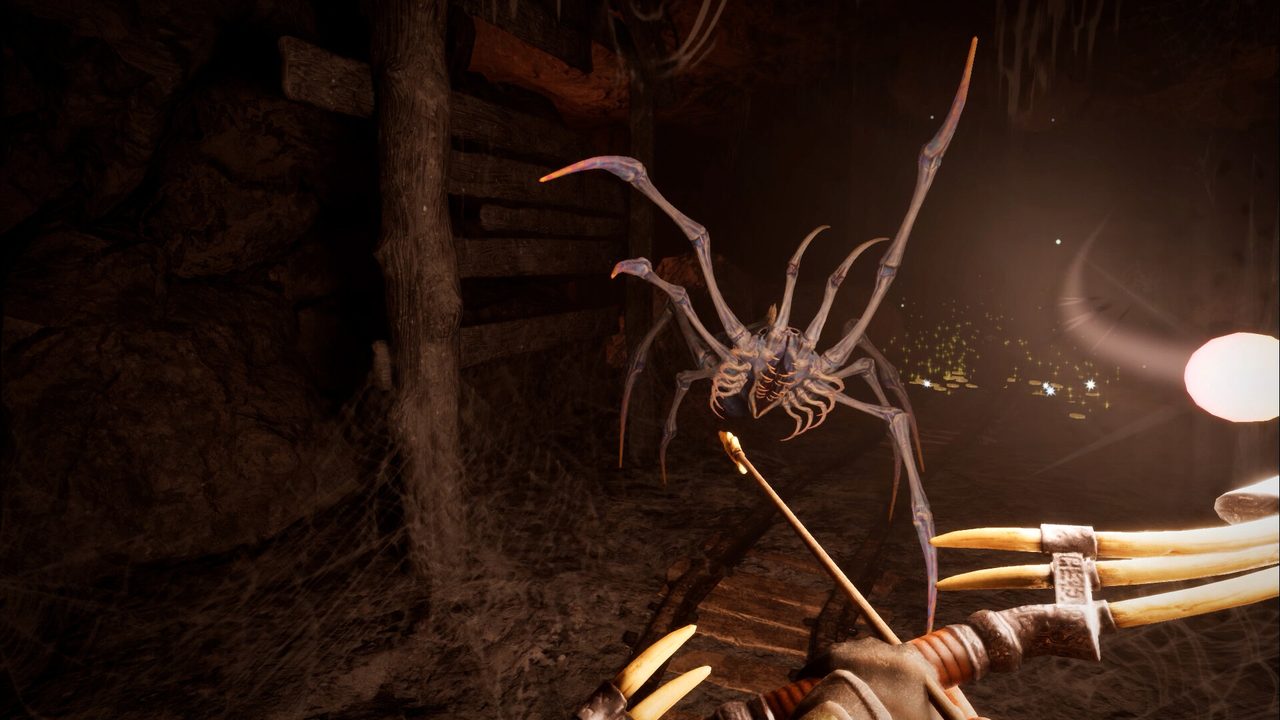
Combat starts with recognising an attack, not chasing DPS
Sunken Realms supports close-range and ranged approaches according to the official store. In recorded demo footage the player practices sword/shield fighting and dodging, with the dodge drawing on stamina. If every enemy encounter feels expensive, slow down your sequence: observe the wind-up, defend or evade, punish a clear opening and leave enough stamina for the next threat.
There is no reliable reason to prescribe a universal attack count or a perfect dodge-frame window here. Weapon range, responsiveness and inputs are build-specific, while the developer was actively polishing animations shortly before launch. Practise with a manageable enemy or training context before assuming a combo from old footage still exists unchanged.
When fighting multiple opponents, focus on keeping a retreat path rather than standing still and exhausting your entire stamina bar. That is a risk-reduction strategy, not a claimed enemy-AI exploit. Consider ranged engagement only if your present inventory supports it, and check your equipped weapon after crafting.
- Confirm the current bindings for attack, block, dodge and weapon selection.
- Observe a safer enemy’s telegraph without attacking repeatedly.
- Test one defensive response and watch your remaining stamina.
- Attack when the enemy recovers, then reset your spacing.
Do not infer current dodge invulnerability, damage scaling or boss weaknesses from pre-release footage.
How the demo teaches Fireball
In a pre-release recorded playthrough, a player discovers a Fireball scroll, receives a message that it permanently teaches the spell, opens the spell menu and selects Fireball. The onscreen prompt in that recording referred to holding Q for the spell menu and F or a controller shoulder button for casting, but the player had rebound controls and immediately describes a different key.
The reliable advice is to check the live Controls menu and the spell-selection UI; publishing Q/F as an immutable command would mislead anybody with remapped inputs or later patches. The Fireball scroll is an observed demo item, not evidence for a comprehensive spell book or a fixed current-version spawn.
If the spell does not cast, work backwards: confirm it has actually been learned, selected, that the character has enough of the relevant resource and that you are pressing the displayed mapped action. An older demo video is a place to see the interface concept, not a universal troubleshooting guarantee for retail.
- Inspect the current spell menu and the Controls menu.
- If a scroll has taught a spell, verify it is now in the list.
- Select it and check the live cast prompt.
- Try casting in a safe location while watching your resources.
One filmed Fireball scroll is not a verified location guide for every dungeon seed.
Choosing a weapon style and spending upgrades
The recorded smithy and inventory contain a range of equipment options; one player compares a sword-and-shield setup with the longer reach of a spear. The Soul Forge offers attribute improvements using gold. That supports an experimentation strategy but not a “best weapon” ranking or a DPS calculator without exact retail stats.
Pick the approach that gives you a repeatable way to land hits while keeping a defensive option available. For a short weapon you may need more deliberate spacing; for a longer weapon learn where its recovery leaves you exposed. A ranged weapon changes encounter initiation, but it does not remove the need to manage enemies once they close in.
Upgrades should respond to observed bottlenecks. Spending gold on a random attribute because a demo streamer did is weaker than inspecting the current in-game description and your own needs. Capture exact version, item and attribute text before publishing quantified recommendations.
| Approach | Strength | Trade-off to manage |
|---|---|---|
| Sword & shield | Blocking plus counter windows | Shorter reach — close the gap deliberately |
| Spear / longer weapon | Keeps enemies at a distance | Recovery frames leave you open if a swing misses |
| Ranged options | Opens fights on your terms | Needs resource discipline; weaker when cornered |
| Fireball spell | Permanent unlock once the scroll is read and selected | Cast resource and your current Controls mapping decide usability |
- Test your existing setup against a familiar normal enemy.
- Identify the specific limitation: range, stamina, damage taken or consumables.
- Inspect current craftable equipment and Soul Forge descriptions.
- Change one variable, run again and compare the outcome.
Exact stat formulas, gear tiers and boss weaknesses remain research gaps.
What changed close to launch—and what is not yet proven
Playtest notes around 12–16 September mention additional charge-attack support for heavy swords and spears, adjustments to dash behavior and improved enemy animations. The notes are useful for understanding development direction but refer to the playtest build, not a validated snapshot of the consumer release.
If a video contradicts your installed game, the installation you are playing wins. A player might have custom key bindings, the demo could show a different stamina cost, or the playtest might have an animation that is absent from the final build. Treat each as a version question rather than asserting that a particular class of attacks is broken.
Once the retail build is available, the first high-value additions to this page are precise in-game control prompts, footage of blocking and dodging with the same equipment, spell unlock conditions and actual boss attack telegraphs. Those facts cannot be filled honestly from marketing copy alone.
- Read the installed build and current input prompts.
- Check whether the feature you saw is in a demo, playtest or retail video.
- Reproduce controls and spell state in the same version before reporting a fix.
Release day does not make a playtest patch automatically identical to the retail build.
Original sources and limitations
Compare footage with your game build. The links below provide context, not proof that the retail version shares every demo rule.